
Article by
Chris Niblett
With over 28 years of experience in IT and pre-sales roles, my transition into the hospitality and retail sectors has enabled me to help businesses of all sizes optimise their electronic payments and EPOS systems. My passion for service-driven solutions led me to create PenguinPay, where I provide tailored solutions that drive business success.
What if better stock control starts not with more frequent manual counts, but with connecting sales and inventory workflows? When sales and stock are managed separately, till transactions can leave records out of date, making replenishment decisions harder. That is the practical question behind integrated retail EPOS systems UK retailers are assessing: how can sales data and stock records work together without adding unnecessary complexity?
Clearer stock visibility should make everyday work easier, not create extra admin for your team. This guide explains how EPOS and inventory management can support one another, which stock tasks benefit from a connected setup, and what to map before choosing a system. From recording deliveries to reviewing sales by product, the focus is on finding an approach that fits how your shop operates.
Key Takeaways
- Understand how EPOS sales records can inform stock visibility and product-level decisions.
- Map products, sales channels, locations, stock movements and reporting needs before assessing integrated retail EPOS systems UK.
- Prioritise the inventory tasks your shop needs, rather than assuming every business requires the same capabilities.
- Prepare for a smoother workflow with clean product data, agreed staff routines and regular stock reconciliation.
How retail stock management systems work with EPOS
A retail inventory management system records products and stock movements, helping a shop understand what its records show as available. An EPOS till records sales and takes payment. When the two are connected, sales information can update stock records, giving staff a clearer view of what has sold and which items may need replenishing.
How does an integrated retail EPOS connect sales and stock?
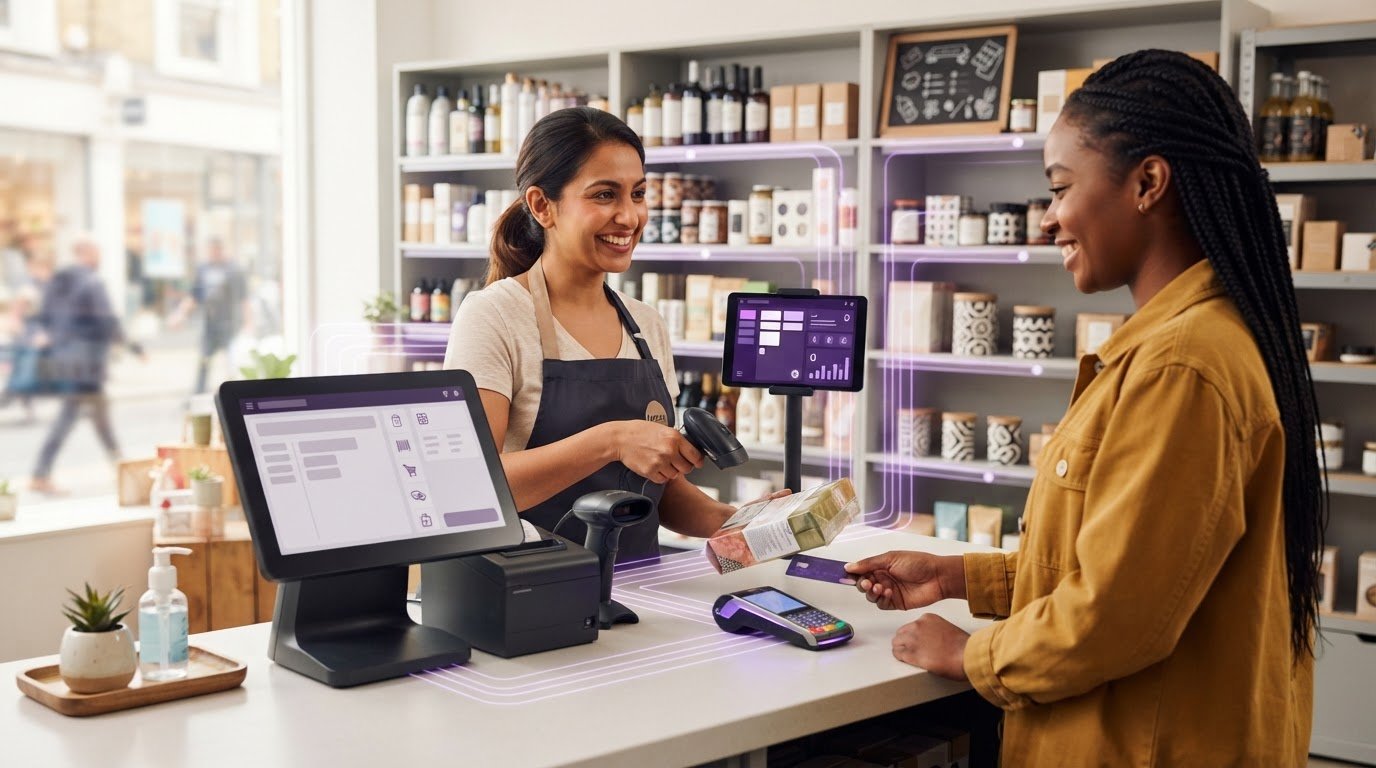
Inventory management records what a retailer has in stock and how it changes; EPOS records sales and payments at the point of sale. A point-of-sale system is where a transaction is recorded. In a connected setup, a staff member scans a product’s barcode at the till. The barcode identifies its product record, which may include a description and stock keeping unit (SKU), a unique code used to distinguish that item from others. When the sale is recorded, the associated stock record can be adjusted.
For example, selling a particular size of a jumper can reduce the recorded quantity for that size, rather than lowering the total for every jumper. Sales recorded over time can help staff identify which products are moving, review stock levels and make more informed replenishment decisions. The value of integrated retail EPOS systems UK retailers consider is the connection between till activity and stock records, rather than treating the two as unrelated tools.
That connection is only as dependable as the information and routines behind it. Use consistent product records so the same item is not entered under different names or codes. Record deliveries when they arrive, and agree how staff should process sales, returns and other stock movements. Regularly compare system figures with physical stock to spot discrepancies. Without these foundations, a connected system can carry errors forward instead of resolving them.
How should UK retailers assess inventory management needs before choosing EPOS?
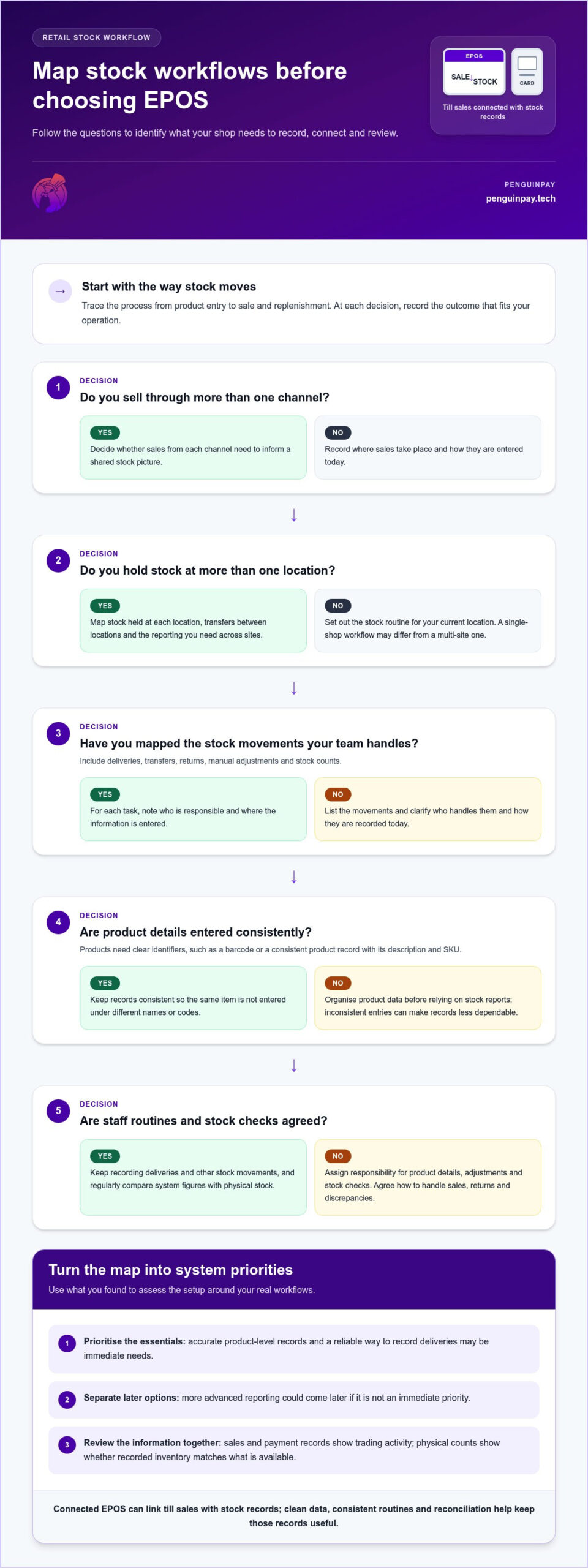
Start with how stock moves through your business, not with a feature list. Inventory accuracy and availability remain among the challenges UK retailers face, so mapping your current processes gives you a practical basis for deciding what an EPOS setup needs to support.
Which stock processes should a retail EPOS assessment cover?
Map the process from product entry to sale and replenishment. Note what products you sell and how they are identified, where sales take place, which locations hold stock, how stock moves, and what information you need from reports. Include deliveries, transfers between locations, returns, manual adjustments and stock counts. For each task, record who is responsible and where the information is entered today.
Dependable stock records are the foundation of useful inventory reporting. If product details or stock movements are entered inconsistently, reports may not reflect what is actually on the shelf. This matters whether you run one independent shop or several sites, although the workflows and level of visibility you need will differ.
Separate essential requirements from optional capabilities. Accurate product-level records and a reliable way to record deliveries may be immediate priorities, while more advanced reporting could come later. If you sell through more than one channel, decide whether those sales need to inform a shared stock picture. Also consider which staff need access to which information. These decisions make it easier to assess integrated retail EPOS systems UK retailers can shape around their operations, rather than assuming one setup suits every business.
Use your workflow map to explore fully integrated EPOS systems in the context of your wider business operations. PenguinPay provides consultative EPOS guidance to help retail businesses identify a system approach suited to their operational requirements.
How can UK retailers make integrated EPOS inventory workflows work in practice?
A connected system can support stock control, but dependable results still rely on the routines around it. Before putting a new process into use, organise product records so each item is identifiable, agree how staff should record stock movements, and set a regular schedule for comparing system figures with physical stock. Begin with the tasks that matter most to your shop, then refine the process as your team uses it.
What helps keep inventory data useful after implementation?
Make ownership clear. Assign responsibility for maintaining product details, recording adjustments and arranging stock checks. Show staff how to handle everyday tasks as well as exceptions, such as processing returns or investigating missing stock. When a discrepancy appears, record how it was resolved. Repeated discrepancies can indicate that a step in the process needs clarifying.
Review reports alongside stock checks. Sales and payment records can help you understand trading activity, while physical counts show whether recorded inventory matches what is actually available. They provide complementary information, but neither removes the need for consistent data entry and reconciliation.
The right approach depends on how your business operates. An independent shop may prioritise straightforward routines for one location, while a multi-site retailer may need clear processes for transfers and consistent reporting across locations. In a consultative EPOS discussion, mapping these requirements helps connect day-to-day workflows with an appropriate system approach. That is a practical starting point for assessing integrated retail EPOS systems UK businesses can use to support reliable stock management, without assuming every retailer needs the same capabilities.
Build a stock process that works for your shop
Effective inventory management takes more than connecting a till to stock records. Clean product data, consistent staff routines and regular reconciliation help keep stock information useful. Before choosing a system, map how products move through your business and decide which reports and workflows matter most. That gives you a clear basis for assessing integrated retail EPOS systems UK retailers can tailor to their operations.
PenguinPay provides consultative EPOS and payment guidance for UK retail businesses. Founder Chris Niblett brings over 28 years of IT and pre-sales experience to discussions focused on your existing processes and operational requirements.
Ready to explore an approach that fits your shop? Discuss an EPOS approach tailored to your retail operation with PenguinPay. A clear understanding of your stock workflow is a strong first step towards more confident decisions.
Frequently Asked Questions
What is a retail inventory management system?
A retail inventory management system records the products a shop holds and tracks stock changes, such as deliveries, sales, returns and transfers. It helps retailers understand what their records show as available and review product movement. An EPOS till records transactions and payments, while inventory management focuses on stock data. The two can work together so sales activity informs inventory records.
How does an integrated retail EPOS help with stock management?
An integrated EPOS can connect recorded sales with product stock records, helping staff review what has sold and which items may need replenishing. For example, a sale can be linked to a specific product record rather than appearing only as a total takings figure. The usefulness of integrated retail EPOS systems UK shops assess depends on accurate product information and consistent recording of stock movements.
Can an EPOS system update stock when a product is sold?
Yes, an EPOS setup connected to inventory records can adjust the recorded quantity when a sale is completed. The till needs to identify the correct product, often through its barcode or product record. This update reflects recorded activity, not necessarily the physical stock on the shelf. Retailers still need reliable processes for deliveries and returns, consistent staff routines and regular checks to reconcile discrepancies.
What should UK retailers consider before integrating inventory with EPOS?
Map your product records, sales channels, locations, stock movements and reporting needs before deciding what the system should support. Include deliveries, returns, transfers, adjustments and stock counts, then separate essential requirements from optional capabilities. Retailers in London, Greater London, Nottingham, Leicester, Chesterfield, Derby, Lincoln, Grantham, Derbyshire, Nottinghamshire, Leicestershire, Lincolnshire, Staffordshire and the wider Midlands can draw on PenguinPay’s consultative EPOS and payment guidance.