
Article by
Chris Niblett
With over 28 years of experience in IT and pre-sales roles, my transition into the hospitality and retail sectors has enabled me to help businesses of all sizes optimise their electronic payments and EPOS systems. My passion for service-driven solutions led me to create PenguinPay, where I provide tailored solutions that drive business success.
The right restaurant EPOS setup is more than a till. For restaurant EPOS systems in London, hardware may include a main till, handheld devices for table service, portable card terminals and kitchen printers or display screens. The right mix depends on how your restaurant takes orders and sends them to the kitchen.
A busy service needs equipment that works together, not a collection of separate devices. This guide explains which hardware supports different restaurant operations and how an EPOS system can help manage multi-site menus, pricing, reporting and day-to-day processes. You’ll also see how kitchen displays can help reduce order errors, and what to consider when matching the setup to your service model. From front-of-house payments to kitchen workflows, the aim is to make the options clear before you decide what your venue needs.
Key Takeaways
- Match tills, handhelds and kitchen equipment to your service flow so orders move smoothly from table to preparation.
- Plan how menus and prices will be managed across sites, while keeping reporting useful for comparing performance.
- Use connected sales and stock information to support hospitality and retail operations, with less reliance on manual processes.
- Explore how a fully integrated EPOS system can bring sales and face-to-face card payments into a more coordinated setup.
What hardware does a restaurant EPOS system need?
There isn’t one best EPOS system for every London restaurant. The right fit depends on your service style, order volume and how your team handles payments and kitchen workflows. Prioritise clear screens, suitable terminals and equipment that works together.
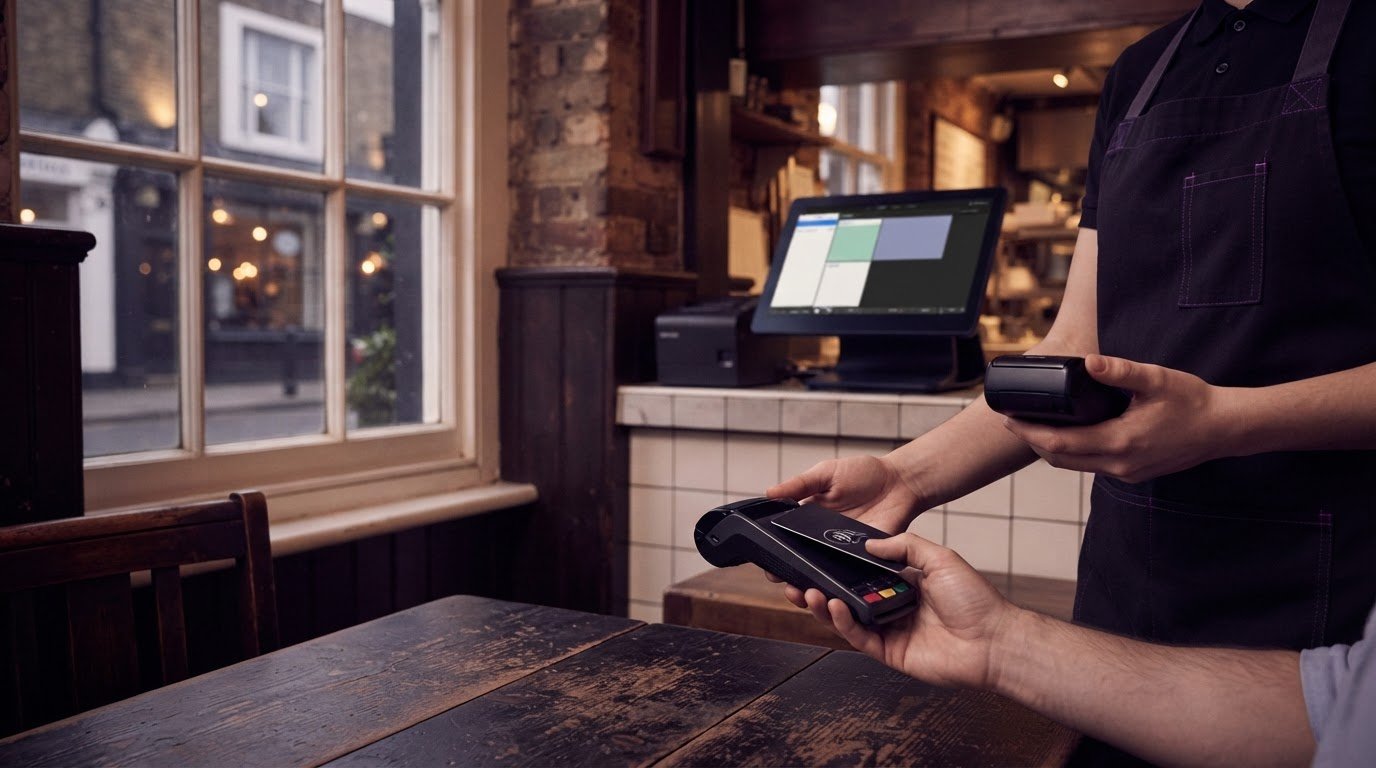
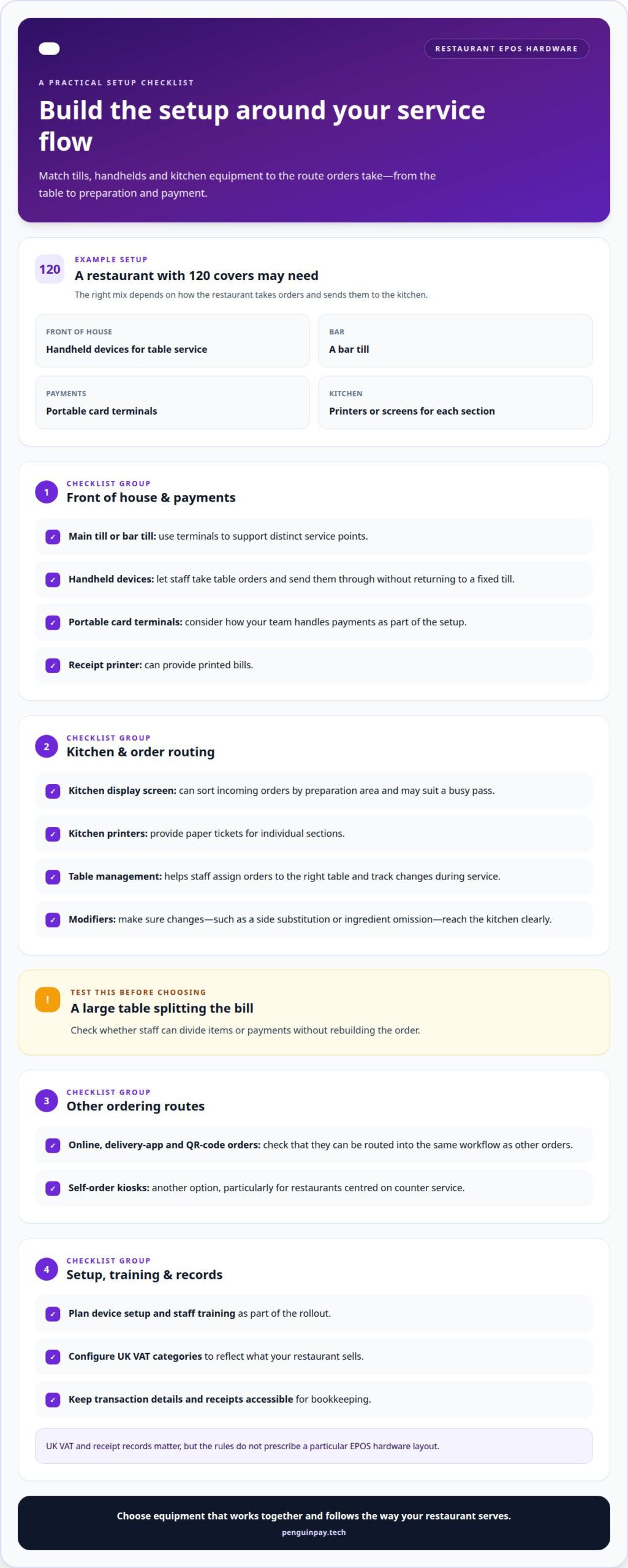
For example, a restaurant with 120 covers may need handheld devices for table service, a bar till, portable card terminals and kitchen printers or screens for each section. A receipt printer can provide printed bills, while separate terminals can support distinct service points. The setup should follow the route orders take from the table to preparation and payment.
Table management tools help staff assign orders to the right table and track changes during service. Modifiers, such as a side substitution or an ingredient omission, should reach the kitchen clearly. Test a large table splitting the bill to see whether staff can divide items or payments without rebuilding the order.
A kitchen display screen can sort incoming orders by preparation area, helping teams coordinate dishes. It may suit a busy pass, while printers can provide paper tickets for individual sections. Self-order kiosks are another option, particularly for restaurants centred on counter service.
Online, delivery-app and QR-code orders can be routed into the same workflow as other orders. Handheld devices let staff take orders at the table and send them through without returning to a fixed till. Include device setup and staff training in your rollout plan.
UK VAT and receipt records matter, but the rules do not prescribe a particular EPOS hardware layout. Configure VAT categories to reflect what your restaurant sells, and keep transaction details and receipts accessible for bookkeeping.
Multi-site menus, pricing and reporting
For restaurants comparing restaurant EPOS systems in London, multi-site menu controls can help keep pricing consistent. A group can maintain shared dishes and modifiers, then apply venue-specific items where menus differ. One site, for example, might offer a lunch menu while another serves an evening special. Shared reporting categories can make sales comparisons more meaningful.
Integrated software connects menu data with till transactions and reporting. Managers can review sales by site, dish or service period, then use those patterns to inform purchasing and operations. Before changing a menu, map each item, price, modifier and tax category to the locations where it applies. This helps prevent an update for one venue affecting another.
Restaurant EPOS systems in London can be configured in different ways, so compare hardware, software subscriptions, installation, transaction fees and contract terms together. Costs depend on factors such as the number of sites and terminals, integrations and support requirements. Review ongoing charges alongside the initial equipment and setup costs.
When assessing support and installation for a London restaurant, look for a clear installation process, staff training, defined support arrangements and a plan for transferring menu data. These details help show how the system will fit into daily service.
To switch providers, organise menu items, prices, modifiers and site settings first. Identify which sales and customer records can be exported, agree on a transfer format, then test sample records in the new software. Retain access to historical reports needed for business records, and schedule installation around service operations to limit disruption.
EPOS system benefits for hospitality and retail
For hospitality venues, an EPOS links each sale to service and stock records. Restaurant EPOS can improve table turnover by 15%, while accurate order entry helps teams coordinate dining-room and takeaway work. The benefit depends on what staff do with the information: managers can compare sales by service period, adjust preparation and spot recurring bottlenecks.
Inventory tracking gives retail teams a clearer view of stock movement. EPOS inventory management can update stock levels automatically, reducing reliance on manual counts. Retail order acceptance and POS software can reduce manual stock checks by around 30%, and an EPOS system for retail stores reduces out-of-stocks by 25%. Staff can use those records to identify popular products and replenish them before shelves run empty.
Hardware supports these processes in different ways. A handheld device lets hospitality staff enter orders at the table; a kitchen display can show preparation teams what to make. In a takeaway, connected order handling can reduce processing time by 20%. In retail, a cash drawer and receipt printer support till transactions, while sales records help reconcile daily activity.
Integrated card payments can connect the terminal to the till, so card takings appear separately in the end-of-day report. This makes it easier to compare payment types and investigate discrepancies. Choose measures that reflect your operation, such as table turnover in a restaurant or stock availability in a shop. Map those measures to reports your team will use, then assess how the EPOS fits your hospitality or retail workflow.
PenguinPay: Fully Integrated EPOS systems
PenguinPay provides Fully Integrated EPOS systems for restaurants looking to align their point-of-sale and payment needs. This can be a practical next step when reviewing how orders, payments and reporting fit your venue’s operations, or planning a consistent approach across multiple sites.
Alongside EPOS, PenguinPay provides Face-to-Face Card Payments, Business Banking and E-commerce gateways. These options can support businesses managing in-person service alongside other payment or sales channels. The right configuration depends on your restaurant’s service model, locations and how your team manages daily transactions.
Share your venue’s needs with PenguinPay and book a free, no-obligation consultation to discuss your EPOS options.
Plan your next EPOS step
For a London venue, turn operational priorities into a configuration decision: which workflows need to connect, what information managers need and how payments fit the service. This keeps the decision grounded in how your restaurant runs, rather than a feature list. When assessing restaurant EPOS systems in London, consider whether the setup suits current operations and plans for future sites.
PenguinPay offers Fully Integrated EPOS systems, Face-to-Face Card Payments and Business Banking. Discussing your requirements can help clarify how these options relate to your venue’s payment and operational needs. Contact PenguinPay about EPOS systems to explore a suitable next step for your restaurant. A considered plan can give your team a clear direction as your service evolves.
Frequently Asked Questions
Which EPOS features matter most for restaurants and bars?
Prioritise clear staff permissions, a useful cash-up process and an audit trail for discounts, refunds and voids. For example, a bar manager should be able to review a disputed cancelled drink against its transaction record. Reports that separate sales by category can also help compare food, soft drinks and alcoholic drinks without manually sorting till receipts.
Are EPOS systems easy to install?
Installation is easier to plan when the system is matched to the venue’s existing network, payment process and equipment. List each service point, from the bar to the booking desk, and map the equipment and user access each needs. Schedule configuration, data entry and staff familiarisation before switching over, not during a busy service.
How much is the average cost of an EPOS system in the UK?
There isn’t one useful average for every UK business because the total depends on the setup. A single till has different requirements from a restaurant group using several sites, payment devices and software integrations. The price depends on the case and is given after a quote request; key cost factors include hardware, software, installation and transaction arrangements.
Is it possible to use the same EPOS system for both your physical store and my online store?
Yes, an integrated setup can connect in-person sales with online orders. The physical till and e-commerce gateway need to link so products, prices and sales records can be managed coherently. For example, a business selling the same gift items in-store and online benefits from consistent product information and channel-specific sales reporting.
How much do restaurant EPOS systems cost in the UK, including hardware, software and transaction fees?
The total varies with the restaurant’s configuration, so a single figure would not represent every UK venue. Hardware quantities, software requirements, installation and transaction terms all affect the overall cost. The price depends on the case and is given after a quote request. Assess the complete arrangement, including ongoing charges and contract terms, rather than the initial equipment alone.