
Article by
Chris Niblett
With over 28 years of experience in IT and pre-sales roles, my transition into the hospitality and retail sectors has enabled me to help businesses of all sizes optimise their electronic payments and EPOS systems. My passion for service-driven solutions led me to create PenguinPay, where I provide tailored solutions that drive business success.
A card terminal is only the visible part of a face to face payment. The customer experience also depends on what happens before and after the tap: how the sale is recorded, how the payment is authorised and how funds are paid into the business account. If you’re comparing face to face card payments, it helps to look at the whole customer journey, not just the device at the till.
Speed and reliability matter, especially when a payment issue can slow down service. This guide explains the main stages of an in-person card transaction, compares standalone terminals with integrated EPOS setups, and gives you practical questions to ask when reviewing your arrangements. It also explains how tailored EPOS and payment advice can help you match a setup to your business’s day-to-day workflow.
Key Takeaways
- Understand how face to face card payments move through the transaction process, from the customer’s chosen payment method to your business account.
- Map your checkout volume, service style, mobility needs and till workflows before comparing payment arrangements.
- Weigh the workflow trade-offs of a standalone terminal and an EPOS-integrated setup against how your team serves customers.
- Check connectivity, support routes, reporting and staff routines so you’re prepared for interruptions and understand security responsibilities.
What are face to face card payments, and how does a transaction work?
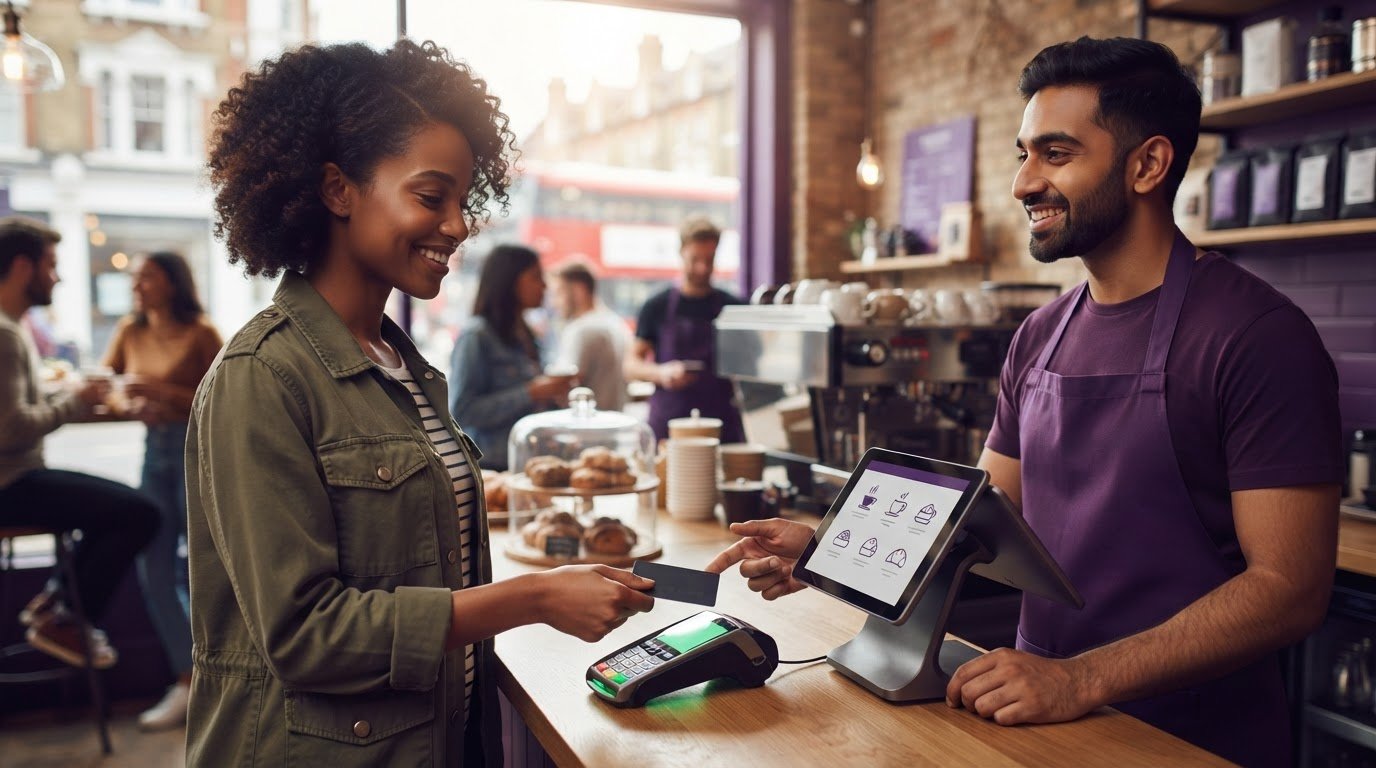
Face to face card payments are transactions made in person between a customer and a business. Unlike an online checkout, where a customer enters payment details on a website, or a phone payment, where they provide details verbally, the customer presents a card or compatible device at the point of sale.
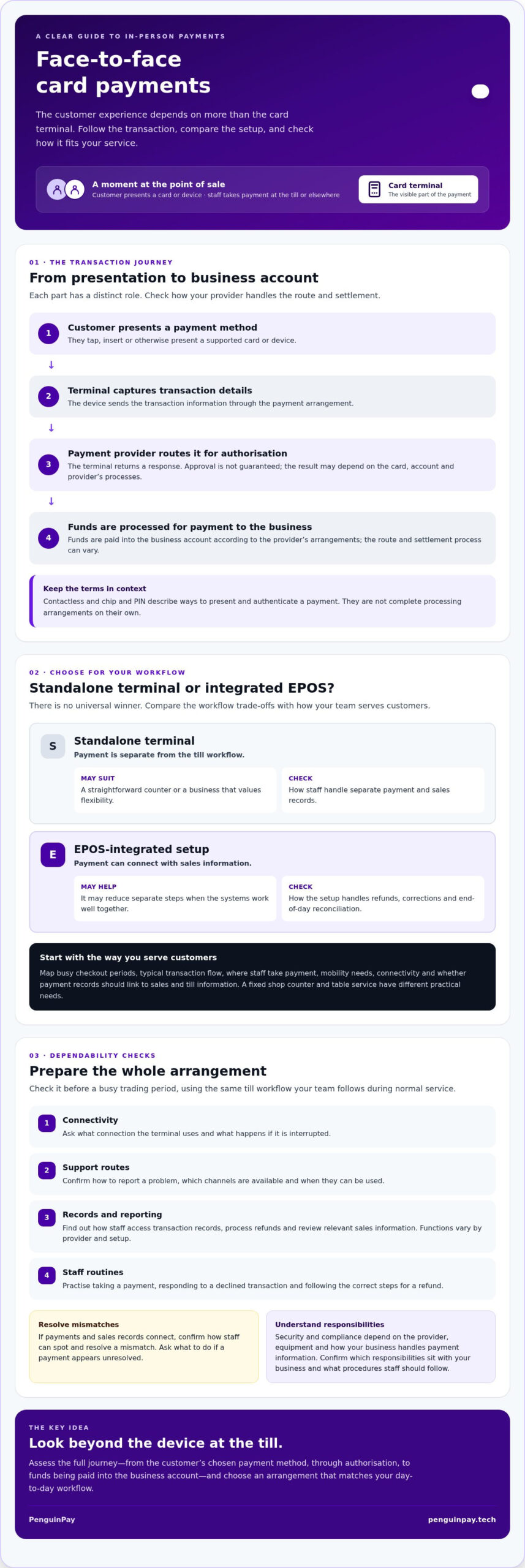
The transaction follows a connected journey. The customer presents a payment method, a terminal captures the transaction details, and the payment provider routes them for authorisation. If approved, the business receives confirmation. The funds are then processed for payment into its business account according to the provider’s arrangements. The route and settlement process can vary, so check how your provider handles each stage. A payment terminal is the hardware that enables this in-person interaction.
What happens when a customer presents a card or device?
The customer taps, inserts or otherwise presents a supported card or device to a suitable terminal. The terminal sends transaction information through the payment arrangement for authorisation, then returns a response to show whether the payment can proceed. Approval isn’t guaranteed, and the result may depend on the card, account and provider’s processes.
Contactless and chip and PIN describe ways a customer can present and authenticate a payment. They aren’t complete processing arrangements in themselves. The terminal, payment provider and business account each play a distinct role. When comparing options, check the whole setup rather than judging it by the device at the till alone.
How should a UK business assess its face to face payment setup?
Start with how you serve customers, rather than a particular terminal. Map your busiest checkout periods, typical transaction flow and where staff take payment. A fixed counter in a shop has different practical needs from table service in a restaurant or staff carrying a terminal around a venue. Note where connectivity is needed and whether payment records should link to sales and till information.
Which payment arrangement fits your checkout workflow?
A standalone terminal keeps payment separate from the till workflow. That may suit a straightforward counter or a business that values flexibility. An EPOS-integrated arrangement can connect payment with sales information and may reduce separate steps, but the fit depends on how the systems work together. Ask how refunds, corrections and end-of-day reconciliation are handled, and whether staff can complete these routine tasks confidently. There’s no universal winner: choose the arrangement that matches your operation.
Consider where and how customers pay, too. Contactless may be convenient at a fixed till or when taking payment elsewhere, but check which methods the terminal and provider support. For a focused explanation, read more about contactless payment solutions for business. If linking transactions with sales and till information is central to your workflow, explore fully integrated EPOS systems.
Keep payment types in context. The FCA’s guidance on rules for recurring payments concerns continuous payment authorities, not ordinary one-off till transactions. If your business also takes recurring card payments, review that guidance separately. For a setup based on your actual workflow, consider discussing your EPOS and payment requirements with a specialist.
How can businesses make face-to-face card payments more dependable?
Dependability comes from checking the whole arrangement, not just whether the terminal powers on. Before relying on it during a busy trading period, work through these practical checks:
- Check connectivity: ask what connection the terminal uses and what happens if that connection is interrupted.
- Understand support routes: confirm how to report a problem, which channels are available and when they can be used.
- Clarify reporting: find out how staff can access transaction records, process refunds and review relevant sales information. Functions vary by provider and setup.
- Practise everyday tasks: have staff try taking a payment, responding to a declined transaction and following the correct steps for a refund.
What should you check before relying on a payment arrangement?
Run these checks using the same till workflow your team follows during normal service. If payments and sales records connect, confirm how staff can spot and resolve a mismatch. Ask your provider to explain its processes clearly, including what your team should do if a payment appears unresolved.
Security and compliance depend on the provider, equipment and the way your business handles payment information. Don’t assume the controls in one setup apply to another. Ask which responsibilities sit with your business, what procedures staff should follow and where to check current requirements before deciding.
A tailored review can help you compare the answers with your actual workflow. PenguinPay provides consultancy on bespoke card payment and EPOS arrangements for UK businesses in hospitality, retail and eCommerce. For wider context, read UK payment processing explained, or discuss your payment requirements with the team.
Build a payment setup around the way you trade
Reliable face to face card payments depend on more than the terminal. The arrangement should suit your checkout, staff routines and reporting needs. Map how customers pay, decide whether a standalone terminal or EPOS integration better fits your workflow, then check connectivity, support routes and everyday procedures before relying on the setup.
If you’d value a tailored perspective, PenguinPay is a UK-based consultancy specialising in card payment and EPOS solutions. Founder Chris Niblett brings over 28 years of IT and pre-sales experience to the business’s consultative approach, helping businesses assess their requirements.
Discuss a payment setup that suits your business and take the next step towards an arrangement that supports day-to-day trading.
Frequently Asked Questions
What are face to face card payments?
Face to face card payments are transactions made in person between a customer and a business. The customer presents a card or compatible device at a payment terminal, rather than entering payment details online or providing them over the phone. Contactless and chip and PIN are ways to present or authenticate a payment, not complete processing arrangements on their own.
How does a face to face card payment work?
The customer presents their card or device to a suitable terminal, which sends transaction information through the payment provider for authorisation. The terminal then displays a response, such as approval or decline. If approved, the transaction is processed and funds are paid into the business account according to the provider’s arrangements. The precise process and settlement details can vary between providers.
Can face to face card payments be integrated with an EPOS system?
Yes, face to face card payments can be connected with an EPOS system where the provider and setup support integration. This may link payment activity with sales records, helping staff manage transactions through a connected workflow. Check how refunds, corrections and reporting operate, and confirm compatibility before choosing. PenguinPay provides consultancy on bespoke payment and fully integrated EPOS solutions.
What should a business check when choosing face to face card payments?
Assess checkout volume, counter or mobile service, and whether records should link to sales. Ask about connectivity, support channels, refunds, reporting and steps for interruptions. Confirm security responsibilities and provider-specific features rather than assuming they’re standard. PenguinPay advises businesses in London, Greater London, Nottingham, Leicester, Chesterfield, Derby, Lincoln and Grantham, and across Derbyshire, Nottinghamshire, Leicestershire, Lincolnshire, Staffordshire and the Midlands.